

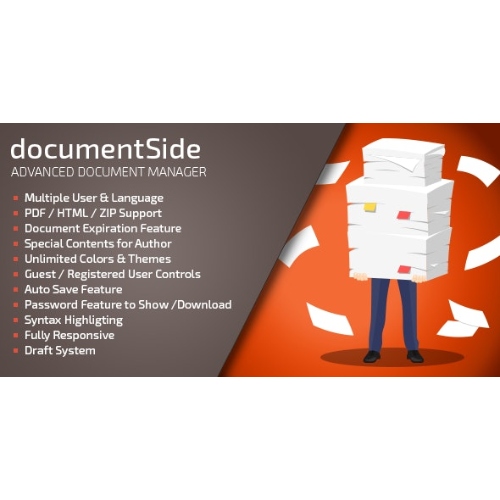


documentSide PHP Document & Guide Manager
– Very cheap price & Original product !
– 100% Clean Files & Free From Virus
– Unlimited Domain Usage
– Free New Version
– Product Version : 2.1
– Product Last Updated : 14.04.2024
– License : GPL
License : GPL
Original price was: $69.99.$2.99Current price is: $2.99.
Description
documentSide – PHP Document & Guide Manager
documentSide is a fast, secure, and developer-friendly PHP document & guide management system for teams that need a centralized hub for SOPs, product docs, API references, client handbooks, and internal knowledge. Built with clean MVC patterns and a modern UI, documentSide makes it easy to author, version, review, and publish documentation—privately or publicly. Distributed under the GPL license with lifetime free updates and limited email support from wpshopgpl.com.
✨ Feature Highlights
📄 Structured Docs & Guides: Organize content into workspaces, collections, and pages with drag-and-drop ordering.
✍️ Rich Editor (MD/HTML): Markdown-first editor with code blocks, tables, callouts, and media embeds.
🗂️ Versioning & Drafts: Keep a full edit history, compare revisions, and stage changes for review.
🔎 Blazing Search: Instant full-text search with filters (owner, tag, workspace, status).
🔐 Granular Permissions: Roles (Admin/Editor/Viewer), private spaces, share links with expiry.
🌐 Public Knowledge Base: Publish SEO-friendly docs with custom domains, slugs, and sitemaps.
🧩 Reusable Blocks & Templates: Snippets, partials, and page templates for consistent docs.
🧾 Approvals & Reviews: Assign reviewers, comment in-context, and gate publishing.
⚡ Performance & Caching: Optimized PHP stack with CDN-ready static assets.
🧰 Developer Hooks: Webhooks & REST endpoints for CI updates or external sync.
📜 Detailed Overview
documentSide is built for engineering teams, agencies, and operations who need documentation that’s easy to write, easy to govern, and delightful to read. Authors draft in Markdown (or HTML), add code-fenced examples with language highlighting, and reuse components like warnings, tips, or step lists. Editors can request changes, add comments, and merge revisions with clear audit trails. When you’re ready, publish internally behind SSO or publicly as a branded knowledge base with indexing and canonical URLs for search visibility.
The system supports tagging, status labels (Draft / In Review / Published), and ownership to keep content fresh. Structured navigation and breadcrumbs help readers find the right guide quickly, while built-in analytics (page views, search queries, top exits) show where to improve your docs. With a modular PHP architecture, you can extend themes, authentication, and storage to fit your stack.
📊 Comparison Table
Capability
documentSide
Typical Doc Tools
Hosting & Control
Self-hosted PHP, full code access
SaaS only, limited control
Editor
Markdown/HTML, code highlighting
Plain WYSIWYG or limited MD
Versioning
Built-in history & compare
Basic history / no diff
Permissions
Roles, private spaces, link expiry
Folder-level only
Reuse & Templates
Blocks, snippets, page templates
Manual copy-paste
SEO & KB Publishing
Custom domain, sitemap, slugs
Shared domain or no SEO tools
License & Updates
GPL + lifetime free updates
Recurring fees
🛠️ Installation Guide
Download & Unzip: Get documentSide – PHP Document & Guide Manager from your wpshopgpl.com account and extract the package.
Server Requirements: PHP 8.1+, MySQL/MariaDB, OpenSSL, cURL, mbstring, GD/Imagick; Nginx or Apache with mod_rewrite.
Upload Files: Copy the contents to your web root (e.g., /var/www/documentSide) and set writable permissions for storage and cache directories.
Create Database: Create a database & user; note host, DB name, user, and password.
Environment Setup: Duplicate .env.example to .env; set app URL, DB credentials, mailer, and cache settings.
Install: Run the web installer by visiting your domain (or run CLI installer if provided) to create the admin account and seed defaults.
Branding & Auth: Upload logo, set color theme, configure SMTP, and (optional) enable SSO/OAuth.
Content Structure: Create workspaces (e.g., Product, Engineering, HR), add collections, tags, and start authoring pages.
Publish: Toggle visibility (Private/Public), generate a sitemap, and connect your custom domain for the knowledge base.
🔑 Licensing Information
documentSide is distributed under the GPL (General Public License). You may use, modify, and extend the source code in accordance with GPL terms. Purchases via wpshopgpl.com include lifetime free updates and limited email support for installation and basic configuration (custom development, SSO providers, or complex migrations are outside the default support scope).
❓ FAQs
1) Does it support Markdown and code highlighting?
Yes—Markdown is first-class with fenced code blocks, language highlighting, callouts, and tables.
2) Can I keep some docs private and others public?
Absolutely. Use private workspaces for internal content and publish selected collections as a public knowledge base.
3) Is there version control and approvals?
Yes. Each page keeps a full history; reviewers can compare diffs, comment, request changes, and approve before publishing.
4) Does documentSide integrate with CI/CD?
You can trigger updates via webhooks or REST endpoints to sync release notes or API docs from your pipelines.
5) Can I migrate from another tool?
Importers for Markdown/HTML and CSV metadata help you move from wikis or file shares; large migrations may require scripts.
6) Is multi-language supported?
Yes—localize your UI and create language variants of pages; canonical tags help search engines understand alternates.
🌟 Why Choose documentSide?
Because it combines a writer-loving editor, governance you can trust, and publishing that ranks—all in a self-hosted PHP application you fully control. Ship clearer SOPs, faster onboarding, and happier customers with a documentation stack that scales with your product and team.
Centralize your knowledge today! Get documentSide – PHP Document & Guide Manager from wpshopgpl.com, deploy in minutes, and start publishing professional, searchable documentation—backed by GPL freedom, lifetime updates, and dependable limited email support.
Features
 Licence: GPL (General Public License)
 Updates: Free Lifetime Updates
 Installation: Easy to Install and Use
 Customization: 100% Customizable
 Access: Instant Download After Purchase
Recommended Products

Residence Real Estate WordPress Theme
Original price was: $69.99.$2.99Current price is: $2.99.
White Label WordPress Plugin – WpAlter
Original price was: $69.99.$2.99Current price is: $2.99.
BWD 3D WooCommerce Product Layout Addon For Elementor
Original price was: $69.99.$2.99Current price is: $2.99.
Design Upgrade Pro for LearnDash
Original price was: $69.99.$2.99Current price is: $2.99.
WooCommerce Admin Custom Order Fields
Original price was: $69.99.$2.99Current price is: $2.99.
WooCommerce Photo Reviews – Review Reminders – Review for Discounts
Original price was: $69.99.$2.99Current price is: $2.99.
FleetCart – Laravel Ecommerce System
Original price was: $69.99.$2.99Current price is: $2.99.
Infinia – Multipurpose Business Consulting Startup Laravel Script
Original price was: $69.99.$2.99Current price is: $2.99.
SearchWP Redirects
Original price was: $69.90.$2.99Current price is: $2.99.
Realtor CMS Real Estate Listing Starter Script
Original price was: $69.99.$2.99Current price is: $2.99.More Like This