
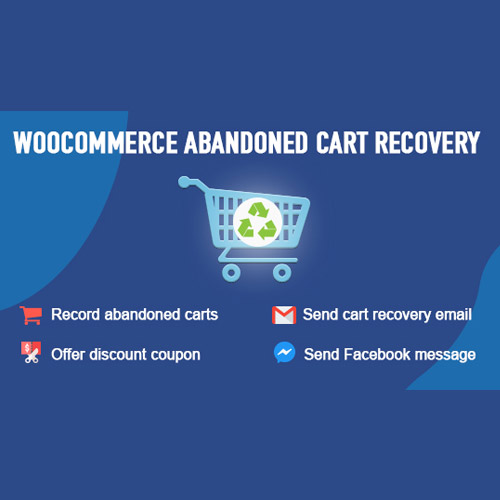


WooCommerce Abandoned Cart Recovery
– Very cheap price & Original product !
– 100% Clean Files & Free From Virus
– Unlimited Domain Usage
– Free New Version
– Product Version : 1.1.7
– Product Last Updated : 24.08.2025
– License : GPL
License : GPL
Original price was: $69.99.$2.99Current price is: $2.99.
Description
WooCommerce Abandoned Cart Recovery – Boost Your Sales by Recovering Lost Orders (GPL Licensed)
WooCommerce Abandoned Cart Recovery is a powerful plugin designed to help online store owners recover lost sales by automatically reminding customers of their abandoned carts. This essential tool increases conversion rates by sending timely, personalized email reminders, ensuring you never miss out on potential revenue.
Offered under GPL license at wpshopgpl.com, this plugin includes all premium features unlocked—no license key or activation required. Use it on unlimited websites with lifetime updates and dedicated support to maximize your WooCommerce store’s profitability effortlessly.
⭐ Key Features of WooCommerce Abandoned Cart Recovery
Automated Cart Recovery Emails: Send customizable, scheduled emails to customers who leave products in their carts.
Multiple Email Templates: Choose or create email templates tailored to your brand and campaign goals.
Recovery Analytics: Track recovery rates, open rates, and click-through statistics to optimize your strategy.
Coupon Integration: Automatically include discount coupons in recovery emails to incentivize purchases.
Cart Data Capture: Collect detailed cart information including products, quantities, and customer details.
Flexible Email Scheduling: Set multiple reminder intervals for maximum impact.
Guest & Registered Users Support: Recover carts from both logged-in and guest customers.
GDPR Compliant: Built with privacy and data protection regulations in mind.
Seamless WooCommerce Integration: Works flawlessly with your existing WooCommerce setup.
📦 What’s Included with WooCommerce Abandoned Cart Recovery
Full plugin package (.zip) with all premium features enabled.
Demo content and pre-built email templates.
Comprehensive documentation and setup guides.
Lifetime updates and support through your wpshopgpl.com account.
⚙️ How to Install WooCommerce Abandoned Cart Recovery
Download the plugin from your wpshopgpl.com account.
Go to WordPress Dashboard → Plugins → Add New → Upload Plugin.
Upload and activate the WooCommerce Abandoned Cart Recovery plugin.
Configure email templates and scheduling from the plugin settings.
Start recovering lost carts and increasing your sales immediately.
❓ Frequently Asked Questions
Is this the latest version of WooCommerce Abandoned Cart Recovery? ✅ Yes, always up-to-date with the official releases.
Do I need a license key to activate? ❌ No activation or license key required — full premium features included.
Can I install it on multiple sites? ✅ Yes, GPL license permits unlimited website usage.
Are the plugin files safe? ✅ Verified clean and secure by wpshopgpl.com.
Is support available? ✅ Yes, expert support and lifetime updates are provided.
Features
 Licence: GPL (General Public License)
 Updates: Free Lifetime Updates
 Installation: Easy to Install and Use
 Customization: 100% Customizable
 Access: Instant Download After Purchase
Recommended Products

GoodHeart – Charity & Nonprofit Elementor WordPress Theme
Original price was: $69.99.$2.99Current price is: $2.99.
WP Rich Snippets Compare
Original price was: $69.99.$2.99Current price is: $2.99.
Finaco – Consulting & Business WordPress Theme
Original price was: $69.99.$2.99Current price is: $2.99.
UltimateSpeed PHP Code Generator Pro
Original price was: $69.99.$2.99Current price is: $2.99.
Easy Digital Downloads GetResponse
Original price was: $69.99.$2.99Current price is: $2.99.
Infy vCard Saas : NFC Smart Business Card Builder
Original price was: $69.99.$2.99Current price is: $2.99.
Wicked Block Builder Pro
Original price was: $69.99.$2.99Current price is: $2.99.
Printress – Printing Services Company WordPress
Original price was: $69.99.$2.99Current price is: $2.99.
CSS Igniter Salon WordPress Theme
Original price was: $69.99.$2.99Current price is: $2.99.
Luman – Construction WordPress Theme
Original price was: $69.99.$2.99Current price is: $2.99.More Like This