
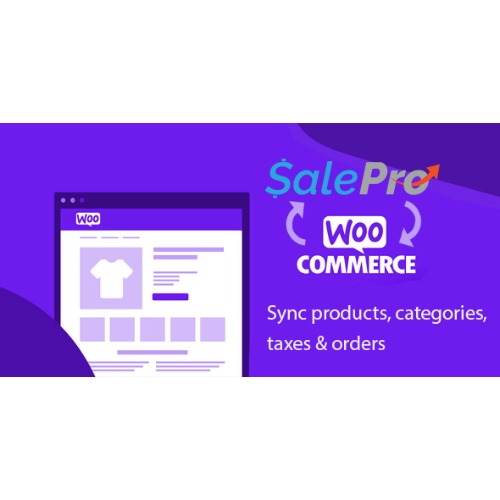


Point of sale to WooCommerce add-on for SalePro POS & inventory management php script
– Very cheap price & Original product !
– 100% Clean Files & Free From Virus
– Unlimited Domain Usage
– Free New Version
– Product Version : 12 September 2023
– Product Last Updated : 30.04.2024
– License : GPL
License : GPL
Original price was: $69.99.$2.99Current price is: $2.99.
Description
Point of Sale to WooCommerce Add-on for SalePro POS & Inventory Management (PHP)
Supercharge SalePro by syncing products, stock, orders, and customers directly with your WooCommerce store. This add-on bridges your physical Point of Sale operations and your online shop so you sell everywhere with one truth for inventory and pricing. Distributed under the GPL license with lifetime free updates and limited email support from wpshopgpl.com.
✨ Feature Highlights
🔗 Two-Way Sync Engine: Products, variations, prices, stock, and images stay aligned between SalePro and WooCommerce.
🧾 Order & Customer Sync: Push WooCommerce orders into SalePro for fulfillment; sync customers, addresses, and taxes.
📦 Real-Time Stock Adjustments: POS sales and online purchases instantly update on both systems to prevent overselling.
🏷️ SKU/Barcode Mapping: Map SalePro SKUs & barcodes to WooCommerce products and variations for fast, accurate lookups.
🌍 Multi-Store & Multi-Warehouse Aware: Choose which warehouse or store feeds WooCommerce stock and pricing.
⚙️ Rule-Based Sync: Control directions (POS→WC, WC→POS, or bidirectional), fields to sync, and scheduling (real-time/cron).
🧮 Tax, Units & Rounding: Harmonize tax classes, units of measure, and rounding to keep reports consistent.
🛡️ Robust Error Handling: Queues, retries, conflict detection, and activity logs with exportable reports.
📜 Detailed Overview
This add-on is purpose-built for merchants running SalePro POS in stores and WooCommerce online. It keeps your catalog clean, your stock accurate, and your accounting sane. Configure once and let the sync run: create or update products in SalePro and see them appear online with categories, images, attributes, and variations; capture online orders and download them to SalePro for picking, packing, and invoicing. Advanced mapping ensures SKUs, barcodes, tax rates, and units match, while logs and dashboards give you audit-ready visibility.
📊 Comparison Table
Capability
POS→Woo Add-on (This)
Generic CSV/Manual Sync
Direction & Real-Time
✔ Two-way, real-time or scheduled
One-way, manual & delayed
Stock Integrity
✔ Instant adjustments & reservations
Prone to overselling & drift
Variation/Attribute Support
✔ Full variations & attribute mapping
Limited or error-prone
Tax & Units Alignment
✔ Class/rounding/UM mapping
Manual fixes required
Logging & Recovery
✔ Queues, retries, conflict logs
No audit trail
License & Updates
✔ GPL + lifetime free updates
N/A
🛠️ Installation Guide
Prerequisites: A working SalePro POS (PHP/MySQL) instance and a WordPress site with WooCommerce activated over HTTPS.
Download & Extract: Get the add-on from your wpshopgpl.com account and unzip the package.
Install in SalePro: Upload the add-on module to modules/ (or per docs). In SalePro admin, enable the WooCommerce Sync module.
Install in WordPress: Upload the included WooCommerce companion plugin via Plugins → Add New → Upload; activate it.
API Keys: In WordPress, go to WooCommerce → Settings → Advanced → REST API, create Read/Write keys. Copy Key/Secret.
Connect: In SalePro module settings, paste your WooCommerce store URL (https), consumer key/secret, and select warehouse/store for stock source.
Map Fields: Configure SKU, barcode, category/attribute mapping, tax classes, units, and price rules (incl./excl. tax).
Choose Sync Mode: Real-time webhooks or scheduled cron. Set frequency for products, stock, and orders.
Seed/Test: Run an initial Catalog Sync (10–20 sample SKUs), verify images/prices/stock. Place a test web order and confirm it appears in SalePro.
Go Live: Run full sync, enable logs/alerts, and monitor the dashboard during the first sales cycle.
🔑 Licensing Information
This add-on is licensed under the GPL (General Public License). You can use, modify, and extend it under GPL terms. Purchases via wpshopgpl.com include lifetime free updates and limited email support for installation and basic configuration. Custom integrations, heavy data migrations, or bespoke workflows fall outside free support.
❓ FAQs
1) Does it create products in both systems?
Yes. You can publish SalePro products to WooCommerce and optionally pull WooCommerce products into SalePro with field mapping.
2) How are variations handled?
Attributes (size, color, etc.) map to WooCommerce attributes/variations; each variation’s SKU/stock syncs independently.
3) What about taxes and currency?
Map SalePro tax classes to WooCommerce classes and set price mode (tax-inclusive/exclusive). Multi-currency is supported if enabled in WooCommerce.
4) Can I limit sync to specific categories or warehouses?
Yes. Choose included categories/brands and designate the warehouse/store that feeds online stock and pricing.
5) Will online orders reduce POS stock immediately?
Yes. Real-time or near-real-time updates adjust the linked warehouse quantities to prevent overselling.
6) Is there an audit trail?
Detailed logs show each synced record, success/failure states, and offer one-click requeue for failed jobs.
🌟 Why Choose the POS→Woo Add-on for SalePro?
Because it delivers accurate inventory, faster fulfillment, and unified reporting—without manual spreadsheets or fragile CSV flows. Built for retailers who sell online and in-store, this add-on gives you granular control, reliable sync, and audit-ready transparency under the freedom of GPL.
Unify your online and in-store sales today! Get Point of Sale to WooCommerce Add-on for SalePro POS & Inventory from wpshopgpl.com—and run a seamless omnichannel operation with lifetime updates and dependable limited email support.
Features
 Licence: GPL (General Public License)
 Updates: Free Lifetime Updates
 Installation: Easy to Install and Use
 Customization: 100% Customizable
 Access: Instant Download After Purchase
Recommended Products

Site Analytics Plugin – Nazmart Multi-Tenancy eCommerce Platform (SAAS)
Original price was: $69.99.$2.99Current price is: $2.99.
Puca – Optimized Mobile WooCommerce Theme
Original price was: $69.99.$2.99Current price is: $2.99.
Beaver Builder Theme
Original price was: $69.99.$2.99Current price is: $2.99.
Pantry — Kitchen Cabinets & Furniture WordPress Theme
Original price was: $69.99.$2.99Current price is: $2.99.
DTNews – Flutter News App ( Web – Android – iOS ) with Admin panel
Original price was: $69.99.$2.99Current price is: $2.99.
Edumoon – Education LMS WordPress Theme
Original price was: $69.99.$2.99Current price is: $2.99.
Kolo – Startup Landing Page WordPress Theme
Original price was: $69.99.$2.99Current price is: $2.99.
Mobimax – Auto Parts WordPress Theme + WooCommerce Shop
Original price was: $69.99.$2.99Current price is: $2.99.
AppThemes ClassiPress – WordPress Classified Ads Theme
Original price was: $69.99.$2.99Current price is: $2.99.
Josh – Laravel Admin Template + Front End + CRUD
Original price was: $69.99.$2.99Current price is: $2.99.More Like This