
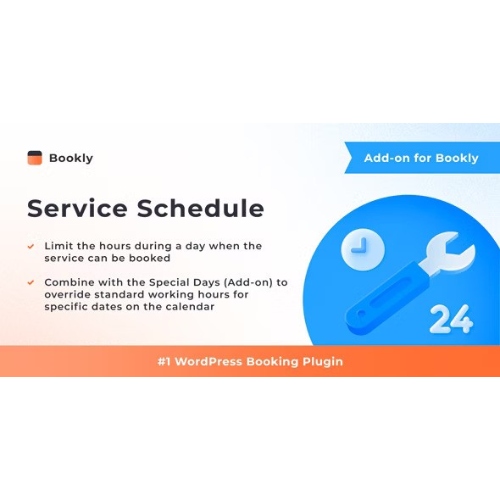


Bookly Service Schedule (Add-on)
– Very cheap price & Original product !
– 100% Clean Files & Free From Virus
– Unlimited Domain Usage
– Free New Version
– Product Version : 3.5
– Product Last Updated : 29.01.2024
– License : GPL
License : GPL
Original price was: $69.99.$2.99Current price is: $2.99.
Description
Bookly Service Schedule (Add-on) (GPL)
Bookly Service Schedule Add-on is a powerful extension for the Bookly PRO booking system that gives you precise control over **when each individual service is available**. Ideal for businesses that offer services under restricted hours or on specific weekdays. Fully GPL licensed, with lifetime free updates and limited email support from wpshopgpl.com.
🌟 Feature Highlights
🗓️ Service-pecific availability — set hours for each service individually. :contentReference[oaicite:0]{index=0}
⏰ Day-of-week restrictions — limit services to certain weekdays only. :contentReference[oaicite:1]{index=1}
🛑 Custom breaks & off-times so you can block out lunch, personal breaks, etc. :contentReference[oaicite:2]{index=2}
📆 Override with “Special Days” integration — combine with Bookly’s Special Days Add-on to modify schedules for holidays or exceptional dates. :contentReference[oaicite:3]{index=3}
🚫 No more double-bookings — ensures that a service only shows when it’s truly available. :contentReference[oaicite:4]{index=4}
⚡ Front-end form respects service schedule — customers see only valid time slots. :contentReference[oaicite:5]{index=5}
📊 Better operational control & fewer conflicts — useful for multi-service, multi-staff setups. :contentReference[oaicite:6]{index=6}
📖 Detailed Overview
The Bookly Service Schedule Add-on enhances Bookly PRO by letting you define distinct schedules for each individual service, not just by staff member or general working hours. For example: you may have a service that is only offered on Fridays between 10 AM and 12 PM, while other services follow the regular schedule. :contentReference[oaicite:7]{index=7}
This is particularly useful when services require special resources, or when availability is constrained. Combined with staff schedules, special days, or blackout periods, you get a robust booking setup that prevents misunderstanding, double bookings, and disappointed customers. The available time slots shown on the front-end booking form will dynamically respect these service-level rules. :contentReference[oaicite:8]{index=8}
⚖️ Comparison Table
Feature
Service Schedule Add-on
Default Bookly PRO (without this Add-on)
Service-specific availability
✔️ Yes — can limit each service to special hours/days. :contentReference[oaicite:9]{index=9}
❌ No — staff schedule only. All services follow the same availability. :contentReference[oaicite:10]{index=10}
Day-of-week restriction per service
✔️ Yes. :contentReference[oaicite:11]{index=11}
❌ No — staff working days are applied across all services. :contentReference[oaicite:12]{index=12}
Breaks / Off times per service
✔️ Yes. You can configure service breaks. :contentReference[oaicite:13]{index=13}
❌ Limited — general breaks or staff blocks apply to all services. :contentReference[oaicite:14]{index=14}
Special day overrides
✔️ Works with Special Days Add-on. :contentReference[oaicite:15]{index=15}
❌ Without add-on can’t override staff schedule for specific days. :contentReference[oaicite:16]{index=16}
Customer view of available slots
✔️ Shows only valid slots per service schedule. :contentReference[oaicite:17]{index=17}
❌ May show service when staff is available but service isn’t meant to run. :contentReference[oaicite:18]{index=18}
⚙️ Installation Guide
Ensure you have Bookly PRO installed and active. This add-on depends on it. :contentReference[oaicite:19]{index=19}
Download the Bookly Service Schedule Add-on ZIP file from your wpshopgpl.com account.
In your WordPress dashboard, go to Plugins → Add New → Upload Plugin.
Select the ZIP file and click Install Now, then Activate.
Go to your Bookly settings → Services → Edit a service → Schedule tab. Set the specific hours/days for that service. :contentReference[oaicite:20]{index=20}
If needed, install Bookly’s Special Days Add-on to override service schedules on special dates. :contentReference[oaicite:21]{index=21}
Test a booking form front-end to confirm only the correct slots appear. Adjust settings as needed.
📜 Licensing Information
Bookly Service Schedule Add-on is released under the GPL (General Public License). You may use it on unlimited personal and client projects. Each purchase via wpshopgpl.com includes:
✔️ 100% Genuine GPL licensed plugin files
✔️ Lifetime Free Updates
✔️ Limited Email Support
✔️ Clean & Secure Code — no nulled versions
❓ FAQs
1) Do I need Bookly PRO to use this add-on?
Yes — Bookly Service Schedule Add-on requires Bookly PRO to be installed. :contentReference[oaicite:22]{index=22}
2) Can I restrict a service to certain weekdays?
Yes — you can choose which days of week each service is offered. :contentReference[oaicite:23]{index=23}
3) Will customers see unavailable service slots?
No — only time slots matching the service schedule will appear in the booking form. :contentReference[oaicite:24]{index=24}
4) Can I combine this with Special Days for holiday overrides?
Yes — you can tailor special dates to override both staff and service schedules. :contentReference[oaicite:25]{index=25}
5) Is this add-on GPL licensed?
Yes — GPL licensing applies, with lifetime updates included with your purchase.
🚀 Why Choose Bookly Service Schedule?
If you run a business with services that don’t follow the same hours — say, special workshops, classes, or expert sessions that only occur occasionally — this add-on gives you the control to match schedule to reality. Reduce customer confusion, avoid booking mismatches, and ensure your services are offered only when you truly deliver. It’s a smart upgrade for any flexible booking setup.
✅ Get Started Today!
Download Bookly Service Schedule (Add-on) from wpshopgpl.com today. Enhance your booking system with service-level schedules, day-of-week logic, schedule breaks, and holiday overrides—all under GPL with lifetime updates. Make your service availability crystal-clear and booking flawless with Service Schedule!
Features
 Licence: GPL (General Public License)
 Updates: Free Lifetime Updates
 Installation: Easy to Install and Use
 Customization: 100% Customizable
 Access: Instant Download After Purchase
Recommended Products

Hub – Responsive Multi-Purpose WordPress Theme
Original price was: $69.99.$2.99Current price is: $2.99.
Content Curator AI
Original price was: $69.99.$2.99Current price is: $2.99.
PayEscrow – Online Payment Processing Service
Original price was: $69.99.$2.99Current price is: $2.99.
Homzen – Laravel Real Estate Agency Portal Multilingual
Original price was: $69.99.$2.99Current price is: $2.99.
Wondertag – The Ultimate WoWonder Theme
Original price was: $69.99.$2.99Current price is: $2.99.
Bentofolio – Personal Portfolio WordPress Theme
Original price was: $69.99.$2.99Current price is: $2.99.
Jetsloth – Gravity Forms Image Choices
Original price was: $69.99.$2.99Current price is: $2.99.
Aikeedo AI – AI Chat, Content, Image, Voice, Code – SaaS – OpenAI, Claude, StabilityAI, ElevenLabs
Original price was: $69.99.$2.99Current price is: $2.99.
Agrios – Agriculture Farming WordPress Theme
Original price was: $69.99.$2.99Current price is: $2.99.
Hyip InvestPro – Advance HYIP & ICO Investment Wallet & Banking Platform
Original price was: $69.99.$2.99Current price is: $2.99.More Like This